
Every dropped call, every one-way audio complaint, every phantom ring that never connects traces back to a specific SIP message that either never arrived, arrived malformed, or arrived with the wrong IP address embedded in its body. Philippine enterprise networks face a particular concentration of these VoIP call setup failures because of carrier-grade NAT, ISP-level packet loss that regularly exceeds 1% during peak hours, and NTC regulatory constraints that push businesses toward trunk configurations they don’t fully control. Understanding where SIP signaling breaks separates teams that fix failures in minutes from those that escalate to the carrier and wait for days.
The Handshake That Fails Silently
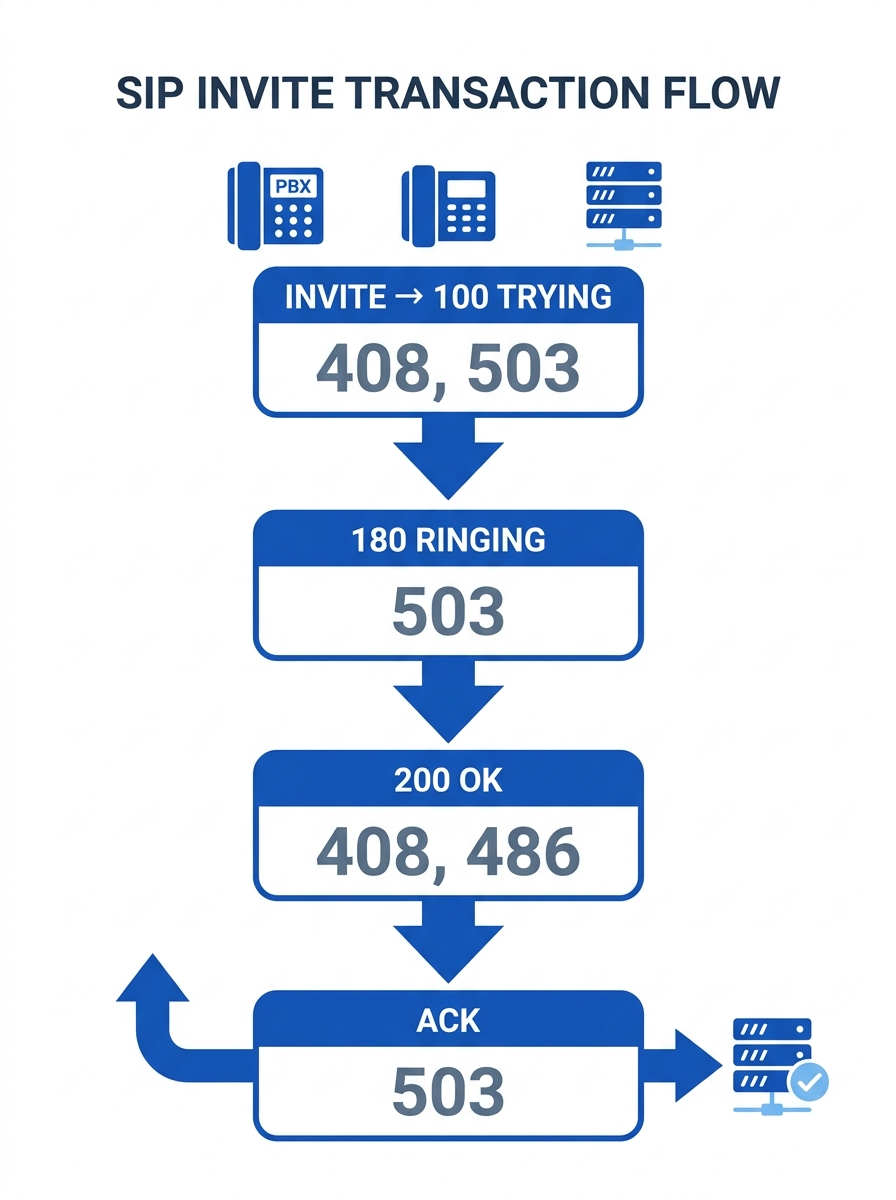
The SIP call setup sequence follows a strict progression: INVITE, then 100 Trying, then 180 Ringing, then 200 OK, then ACK. Each step carries failure modes that surface differently depending on where you sit in the Philippine telecom stack. RFC 3261 treats the INVITE transaction with higher reliability requirements than other SIP request types: the server will retransmit the 200 OK response repeatedly until it receives an ACK. If that ACK never arrives because a firewall dropped it, because a NAT binding expired, because ISP congestion consumed it, the call either times out with a SIP 408 or the server tears down the dialog unilaterally. On shared Philippine ISP circuits where packet loss exceeds 1% during business hours, this retransmission behavior creates storms that compound the very congestion causing the original loss.
SIP registration issues account for the largest share of help desk tickets in enterprise PBX environments, and the root cause is often mundane. A Yeastar P-Series PBX that can’t register its trunk will log the failure, but the log entry alone rarely tells you whether the problem is local DNS resolution, an expired credential, or a provider-side outage. Network connectivity testing helps isolate whether the failure sits in your LAN, your WAN link, or the provider’s infrastructure: ping the provider’s SIP server on port 5060 for unencrypted or port 5061 for TLS. One diagnostic shortcut that works more often than it should: replace the provider’s domain name with its actual IP address in your trunk configuration. If registration succeeds on the IP but fails on the domain, your DNS is broken, and you’ve saved yourself three hours of chasing phantom issues.
The SIP 503 Service Unavailable response deserves special attention in multi-site Philippine deployments running Cisco Unified CM or similar clustered platforms. A documented case from Octa Networks illustrates the pattern: a branch cluster’s SME trunk was configured to point at the HQ Publisher node (the backup call-processing node) rather than the Subscriber (the primary call manager), causing every call from HQ to all branch clusters to fail with 503. The fix was a one-line configuration change, but the diagnosis required understanding which node in the cluster actually handles call processing versus database replication. If you’re running a consolidated multi-branch PBX architecture, document your node roles explicitly. The 503 code is ambiguous by nature; it means “I can’t process this right now,” and the underlying reason could range from server overload to a trunk endpoint pointing at the wrong box entirely.
NAT, CGNAT, and the One-Way Audio Problem
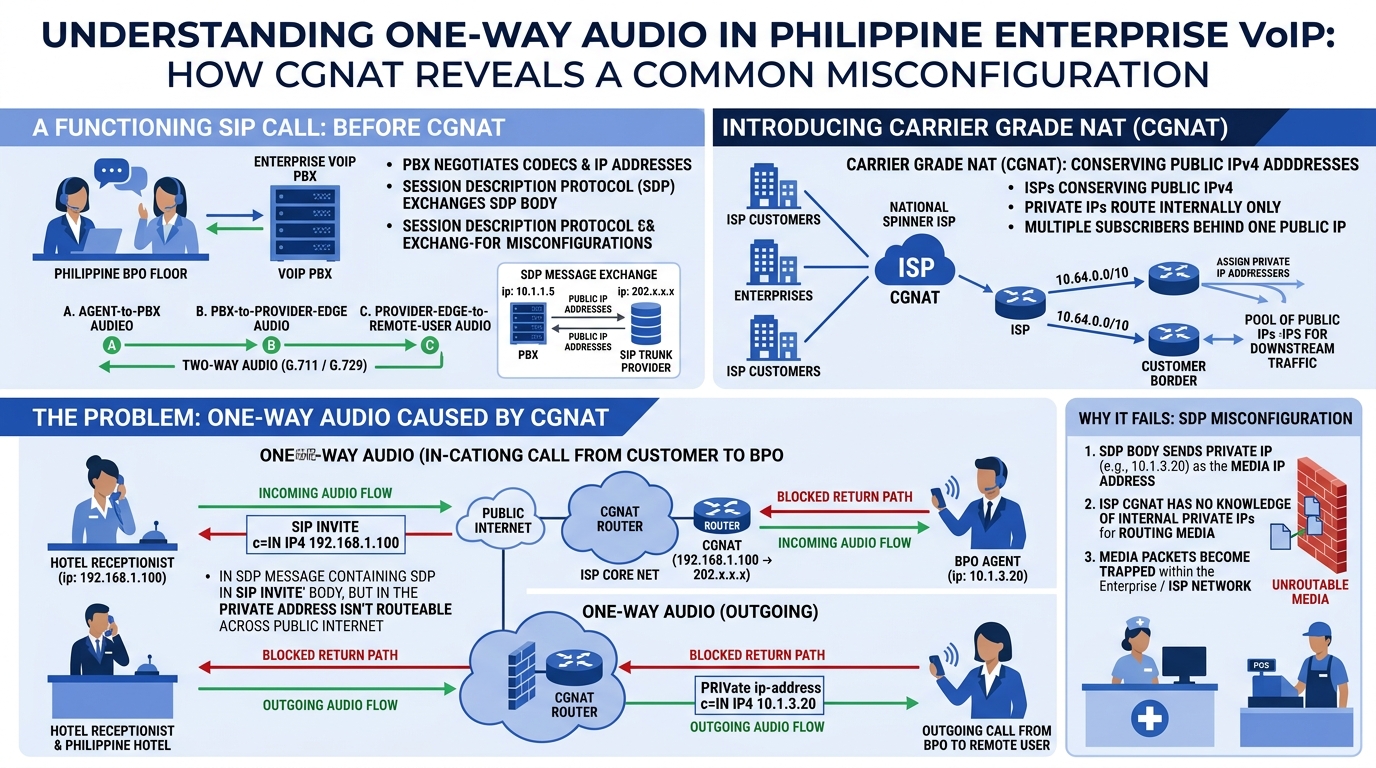
One-way audio is the single most reported SIP deployment failure in Philippine enterprises. The cause is almost always the same: the SDP body inside the SIP INVITE or 200 OK contains a private IP address (10.x.x.x, 172.16.x.x, or 192.168.x.x) that the remote endpoint can’t route to. The RTP media stream gets established in one direction because the side with the public IP can send audio successfully, but the return path points into a private address space that doesn’t exist on the public internet. In the Philippines, where ISPs routinely deploy CGNAT even on business-grade fiber connections, this problem is endemic rather than exceptional.
The fix has two layers. Your Session Border Controller or IP PBX must rewrite the SDP body to replace private addresses with the actual public IP mapped by the ISP’s CGNAT. On an Asterisk-based PBX, this means configuring the externip or externaddr parameter with your public-facing address; on Yeastar systems, it’s the NAT settings under SIP trunk configuration. If your ISP assigns a static public IP, you hardcode it. If you’re behind CGNAT without a static mapping, which is common on Philippine business DSL and fiber plans that don’t include a static IP by default, you configure STUN (Session Traversal Utilities for NAT) so the PBX can dynamically discover its public address. The SBC placement and failover patterns you choose directly determine whether SDP rewriting happens cleanly or breaks under edge cases like call transfers and three-party conferences.
Warning: Disable SIP ALG on Fortinet firewalls before troubleshooting anything else. Fortinet’s SIP Application Layer Gateway ships enabled by default, and it frequently mangles SIP headers in ways that break registration, cause one-way audio, or trigger ghost calls. The consistent recommendation across Fortinet’s own community forums and multiple VoIP vendor knowledge bases: turn it off and let the PBX or SBC handle NAT traversal directly.
This firewall issue deserves emphasis because it wastes enormous diagnostic effort in Philippine enterprise voice deployments. An IT team will spend hours running packet capture analysis, tracing SIP registration issues, and testing codec configurations, only to discover that a firewall sitting between the PBX and the WAN has been silently rewriting Contact headers and SDP bodies in incompatible ways. If your enterprise has already hardened its VoIP security controls but still experiences intermittent call failures, check whether SIP ALG is active on any firewall in the path. It resolves the issue immediately in the majority of cases, and the diagnostic time you recover can be redirected toward problems that actually require protocol-level analysis.
Reading the Wire with Packet Capture Analysis
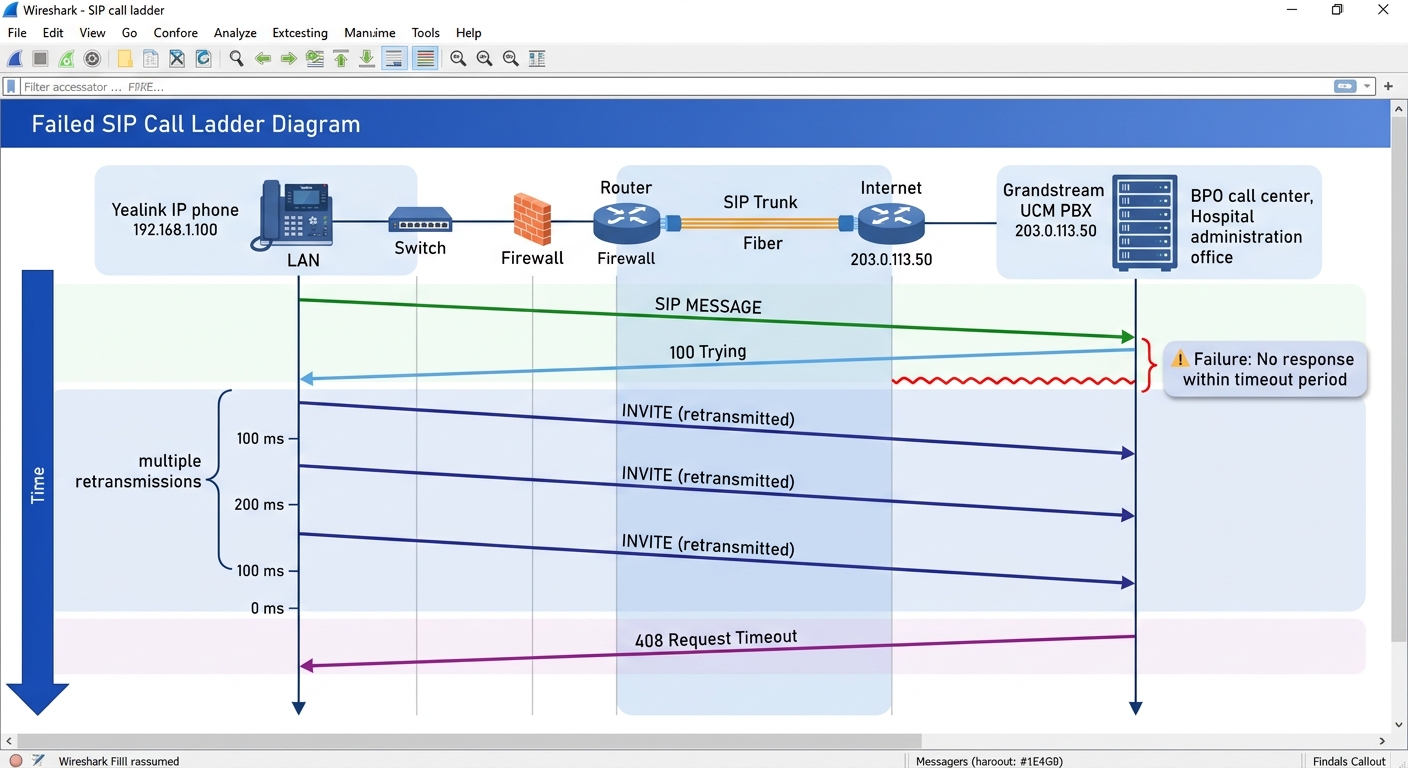
When VoIP call setup failures resist the obvious fixes, the diagnostic that resolves ambiguity fastest is packet capture analysis. Wireshark’s SIP dissector provides a visual ladder diagram of the entire call flow: every INVITE, every provisional response, every re-INVITE for hold and resume, every BYE. The Yeastar support documentation walks through the specific workflow: capture the PCAP file from the PBX’s network interface, open it in Wireshark, filter with the expression “sip” to isolate signaling from the rest of network traffic, then use the Telephony menu’s SIP Flows option to render the ladder diagram. Fortinet’s own troubleshooting documentation shows how to capture and filter SIP packets directly from a FortiGate firewall, revealing the signaling flow between user agents, the direction and ports of RTP streams, and the codec negotiation for each call.
What makes packet capture indispensable for enterprise PBX diagnostics is the information it reveals that no log file can match. A PBX log might tell you that an INVITE was sent and a 408 Timeout was received. The packet capture tells you whether the INVITE actually left the network interface, whether it was retransmitted (and how many times), whether a 100 Trying arrived from the next hop indicating the message reached the provider’s proxy, and whether any response at all came back before the timeout expired. For intermittent failures that Philippine BPO call centers experience during the 2:00 to 5:00 PM congestion window, the packet capture is the only artifact that proves what happened on the wire at the exact moment of failure. Teams that have built a systematic call flow diagnostics practice catch these intermittent failures on the first occurrence instead of waiting for a pattern to emerge over days or weeks.
The protocol will tell you what broke. The packet capture will show you exactly where in the signaling chain it happened. Everything else is guesswork with varying degrees of confidence.
For larger deployments running fifty seats or more through an SBC, passive capture at the PBX interface doesn’t show the full picture. The SBC sits at the network edge and handles both the inbound side from the carrier and the outbound side toward the LAN. Capturing at the SBC lets you compare SIP messages on both sides and identify exactly where a failure occurs: was the INVITE malformed before it reached the SBC, or did the SBC’s header manipulation break it? As SipPulse’s documentation notes, an SBC with TLS and SRTP support can expose the signaling of encrypted calls through its own logs, which passive capture tools like tcpdump on a mirrored port cannot decrypt. For Philippine enterprises that have adopted TLS on their SIP trunks, SBC-side capture becomes the only way to inspect encrypted signaling without deploying a separate decryption proxy. Tools like Homer and VoIPmonitor aggregate these captures across multiple nodes into a searchable, time-correlated database, turning ad-hoc SIP signaling troubleshooting into a repeatable workflow that scales with your deployment.
Where the Protocol Stops and the Infrastructure Gap Begins
SIP troubleshooting has a natural boundary that protocol analysis alone can’t cross, and Philippine enterprise networks reach that boundary faster than most. You can decode every SIP message perfectly, identify every malformed header, trace every retransmission storm to its origin, and still face call quality problems that live below the signaling layer in the transport network itself. When packet loss exceeds 1% on a shared ISP circuit during peak hours, the retransmission behavior mandated by RFC 3261 for INVITE transactions becomes part of the problem: each retransmitted 200 OK adds traffic to an already congested link, and the ACK that would stop the retransmissions is itself at risk of being dropped. The protocol is doing exactly what the standard says it should. The network underneath it is what’s failing.
This is where SIP signaling troubleshooting meets infrastructure planning, and the two disciplines rarely inform each other well enough. The IT team running packet capture analysis on a Wireshark trace sees the symptoms clearly: retransmissions, timeouts, asymmetric media paths. But the root cause sits in the SD-WAN or MPLS underlay carrying the traffic, or in the ISP’s CGNAT configuration that changes without customer notification, or in the NTC’s regulatory framework that, as multiple providers have noted on public discussion forums, maintains tight control over Philippine DDI allocation through landline and ISDN channels. A BPO center in Cebu configuring SIP trunk failover on Asterisk can get every signaling parameter right and still experience call setup failures because the secondary trunk’s carrier route crosses a congested peering point between major Philippine ISPs during afternoon hours.
The honest assessment is that SIP protocol expertise, while necessary, is insufficient for reliable voice in the Philippine context. You need the protocol knowledge to read the wire, identify the response code, and trace the failure to its origin in the signaling exchange. But the fix frequently lives outside the SIP domain entirely: in QoS policies that prioritize RTP over HTTP, in unified communications configurations that handle codec negotiation and call routing at a higher abstraction layer, or in carrier contracts that guarantee a specific loss and jitter SLA on the trunk circuit. That gap between diagnosis and prevention is where most Philippine enterprise voice deployments spend their operational budget. Closing it means treating signaling analysis as one input into a broader call quality troubleshooting practice rather than the practice itself. The protocol gives you the vocabulary to describe what went wrong. The infrastructure gives you the ability to stop it from happening again. Neither is sufficient alone, and the teams that perform best in this environment are the ones that have stopped pretending otherwise.