
Microsoft updated the root Certificate Authorities for Direct Routing SIP signaling in early 2026, requiring every Session Border Controller to trust new DigiCert and Microsoft 2017 root certificates by March. Any SBC that missed that deadline now fails the TLS handshake silently, dropping 100% of inbound and outbound PSTN calls through Teams with no error visible to end users.
TL;DR: Most Teams Direct Routing call failures in Philippine deployments trace to three things: expired or missing TLS root certificates on the SBC, firewall rules that don’t cover all of Microsoft’s signaling IP ranges (52.112.0.0/14 and 52.120.0.0/14), and SIP message fragmentation when UDP trunks reject packets exceeding 1,500 bytes. Fix those three, and you resolve the majority of cases.
The TLS Certificate Deadline That Caught Philippine Enterprises Off Guard
The March 2026 certificate update affected every SBC vendor equally, but Philippine enterprises running older AudioCodes, Ribbon, or Cisco CUBE firmware were disproportionately hit. Many of these deployments were configured once during 2021-2023 pandemic-era rollouts and haven’t been touched since. The SBC’s trust store still referenced the original Baltimore CyberTrust Root CA that Microsoft retired. When the handshake switched to the new DigiCert Global Root G2 and Microsoft RSA Root Certificate Authority 2017, TLS negotiation failed before any SIP INVITE was ever sent.
The fix is straightforward in concept: update the SBC’s trusted root certificate store and verify TLS 1.2 with the correct cipher suites. In practice, Philippine IT teams often discover that their SBC firmware version doesn’t support the new certificate chain at all, forcing a firmware upgrade that requires a maintenance window and, in BPO environments running 24/7, careful coordination with operations. If your organization manages SBC placement and failover design, you already know that touching a production SBC carries real risk.
Warning: If your Teams Direct Routing calls stopped working entirely with no configuration changes on your end, check the SBC certificate trust store first. Microsoft’s documentation confirms this is a hard failure with zero fallback.
SBC Misconfiguration Patterns That Kill Call Connectivity
The TLS issue accounts for total outages. Partial failures and intermittent call drops point to SBC configuration errors that are harder to isolate. Based on Microsoft’s Direct Routing troubleshooting documentation, the following patterns appear repeatedly in Philippine enterprise cases:
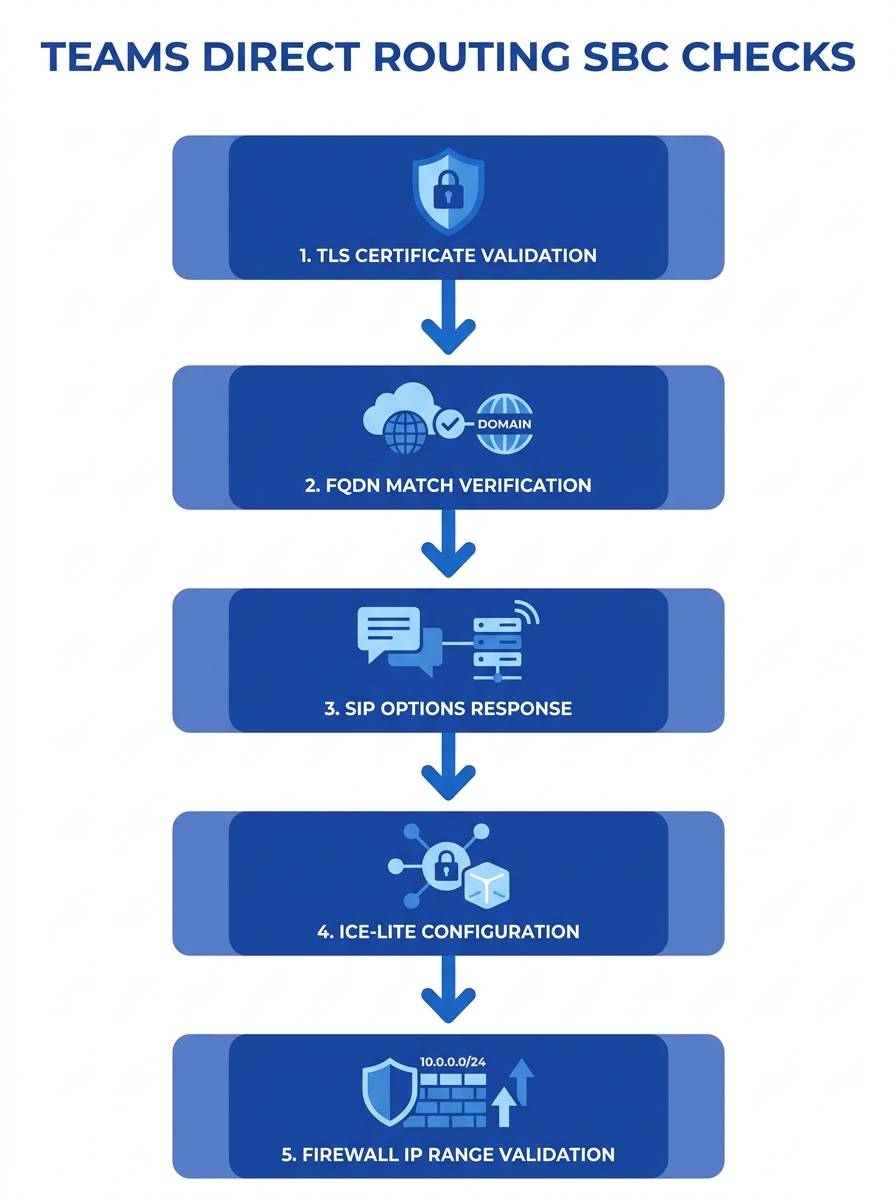
Missing SIP OPTIONS heartbeat. Microsoft’s infrastructure uses SIP OPTIONS messages to monitor trunk health. If the SBC doesn’t respond to these probes, Teams marks the trunk as down after a timeout period and stops routing calls to it. Some Philippine deployments behind carrier-grade NAT inadvertently block OPTIONS responses, making the trunk appear dead even when the SBC is fully operational.
Incorrect FQDN registration. The Teams admin center requires an FQDN for SBC registration, and Microsoft confirms that the SBC connection option must be configured through PowerShell or the admin center’s Voice > Direct Routing > SBCs tab. A mismatch between the FQDN in the TLS certificate, the FQDN registered in Teams, and the FQDN in the SBC’s SIP Contact header produces authentication failures that log as generic 403 Forbidden responses.
Cisco CUBE-specific ICE-lite omission. For enterprises using Cisco CUBE as their SBC, a well-documented issue on the Cisco Community forums shows that missing ICE-lite configuration in the voice class tenant causes the SIP trunk to never come up. The tenant also needs a crypto suite declaration, and the “handle-replaces” parameter is unnecessary. Philippine enterprises migrating from on-premise Cisco Unified CM to Teams Direct Routing frequently carry over CUBE configurations that were designed for a different SIP peer and lack these Teams-specific requirements.
Firewall and IP Range Problems
Why do inbound calls fail when outbound calls work fine? In most Philippine enterprise cases, asymmetric firewall rules are the culprit. Microsoft’s Direct Routing infrastructure sends SIP signaling from IP ranges that change periodically. The two primary CIDR blocks are 52.112.0.0/14 and 52.120.0.0/14, but Microsoft’s documentation on inbound call issues explicitly states that you need to allow traffic to and from all IP address ranges that Direct Routing uses for SIP signaling.
Philippine enterprises using Fortinet, Palo Alto, or Cisco firewalls commonly configure rules for the IP ranges that were current at deployment time. Microsoft adds new ranges without removing old ones, so the firewall allows traffic from addresses the SBC was originally paired with but blocks newer signaling sources. The Teams admin center shows the SBC as healthy (because outbound OPTIONS succeed), but inbound INVITEs from certain Microsoft media processors get dropped at the perimeter.
If your firewall policy ties into a broader enterprise network security strategy, you’ll want to create dynamic address groups that pull from Microsoft’s published endpoint lists rather than hardcoding IP ranges that go stale within months.
SIP Message Fragmentation on UDP Trunks
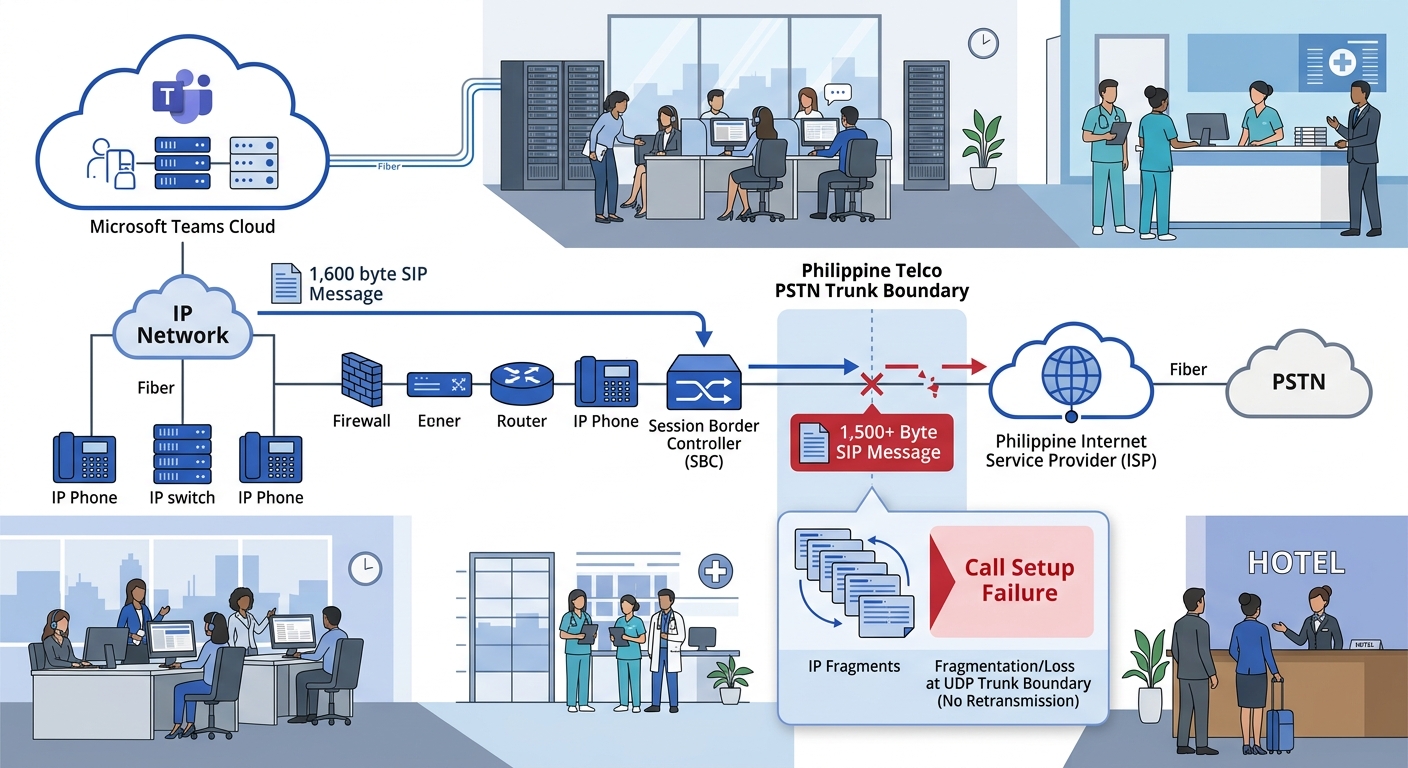
Microsoft’s SIP protocol documentation for Direct Routing warns that the interface can send SIP messages exceeding 1,500 bytes, primarily because of SDP content size. When a UDP trunk sits behind the SBC, it may reject these oversized messages outright. The call setup appears to start normally, but the SDP exchange never completes, and the call fails with no audio or drops during the codec negotiation phase.
This problem is especially common in Philippine deployments where the SIP trunk between the SBC and the local telco (PLDT, Globe, Converge) uses UDP for historical reasons. The SBC accepts the oversized message from Microsoft over its TLS/TCP connection, then attempts to forward it over UDP to the PSTN trunk, where fragmentation or silent discard occurs.
The fix: configure the SBC to use TCP for all trunk legs, or implement SIP message normalization rules that compress the SDP body before forwarding. If you’re already running SIP trunk failover configurations, check whether your secondary trunk uses a different transport protocol than your primary, because failover can silently switch from TCP to UDP and introduce this exact failure mode.
Call Quality Degradation vs. Complete Call Failure
Total call failure gets attention immediately. Quality degradation is more insidious and often goes undiagnosed for weeks in Philippine offices. A thread on r/sysadmin documented Direct Routing call quality issues where external-to-Teams calls showed round-trip times exceeding 1,000 milliseconds. As one commenter noted, “1000ms is more than earth to the moon and back,” pointing to routing problems rather than raw bandwidth limitations.
In Philippine enterprise networks, the three most common causes of high RTT on Direct Routing calls are: VPN tunnels that backhaul Teams media through a central data center instead of using split tunneling, ISP routing paths that send traffic through Hong Kong or Singapore nodes unnecessarily, and QoS misconfigurations that treat SIP signaling and RTP media with the same priority as bulk data traffic. The choice between SD-WAN and MPLS as your network underlay directly affects which of these problems you’ll encounter, because SD-WAN with proper application-aware routing can steer Teams traffic to the nearest Microsoft peering point while MPLS locks you into fixed paths.
A 1,000-millisecond round-trip time on a Direct Routing call means the routing path is broken, not congested. No amount of bandwidth will fix a path that loops through the wrong continent.
When you suspect quality issues, building a packet capture and analysis workflow reveals whether the latency sits between the SBC and Microsoft, between the SBC and the PSTN trunk, or between the client and the Teams cloud. Without that visibility, you’re guessing.
Using Microsoft’s Built-In Diagnostic Tools
The Teams admin center includes a Direct Routing diagnostic tool accessible at Voice > Direct Routing > SBC test cases tab, as documented in Microsoft’s troubleshooting guide. This tool validates the SBC’s registration status, certificate health, and SIP OPTIONS response in a single pass. Philippine IT teams should run this test after every SBC firmware update, certificate renewal, or firewall rule change.
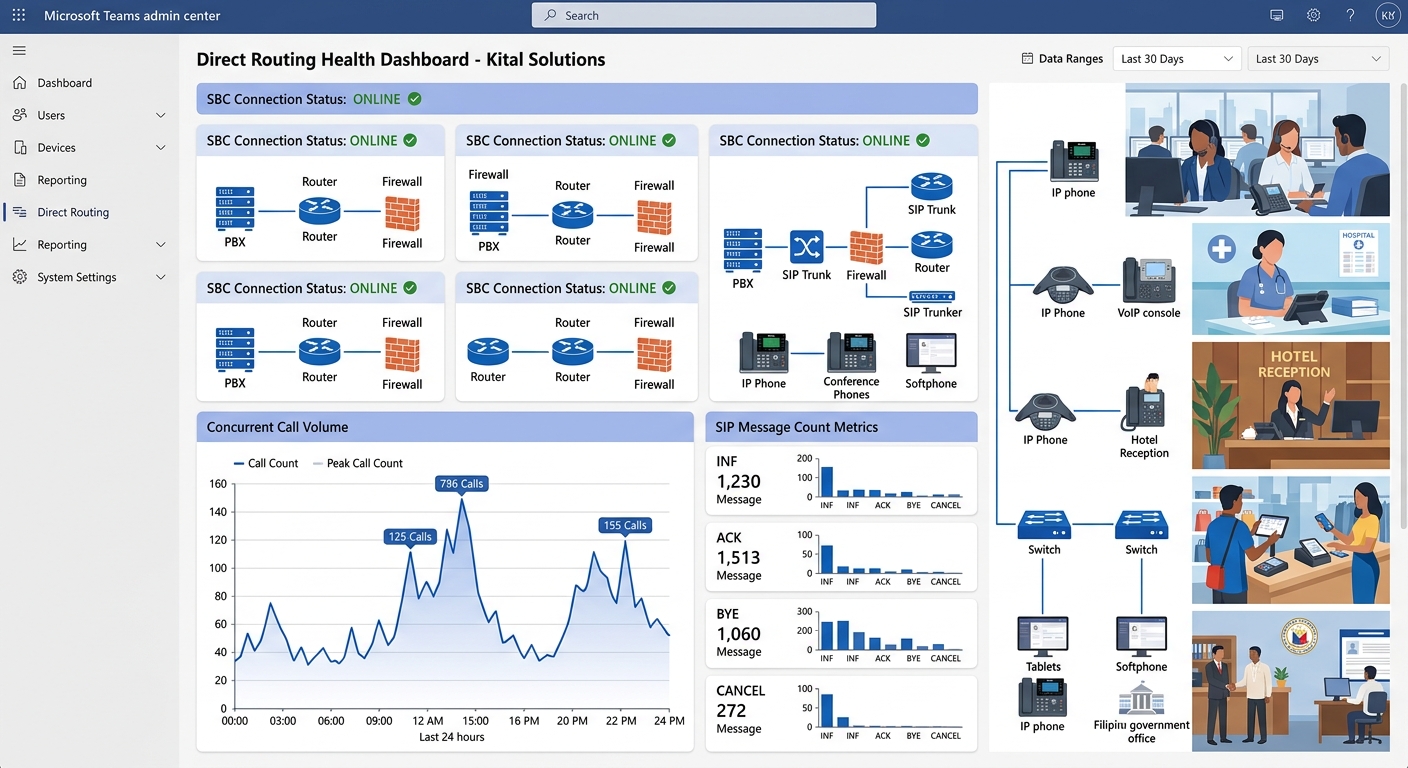
Beyond the built-in tools, the Teams admin center’s Direct Routing health dashboard displays concurrent call capacity and SIP message counts. A sudden drop in concurrent calls without a corresponding decrease in call attempts signals that calls are being rejected or timing out at the SBC layer. Cross-reference these metrics with your VoIP call quality monitoring checklist to isolate whether the failure is at the Teams platform, the SBC, or the local network.
| Symptom | Likely Root Cause | First Diagnostic Step |
|---|---|---|
| All calls fail, no errors visible | TLS certificate trust store outdated | Check SBC root CA certificates against Microsoft’s current list |
| Inbound calls fail, outbound works | Firewall blocking Microsoft signaling IP ranges | Verify 52.112.0.0/14 and 52.120.0.0/14 are permitted inbound |
| Calls connect but drop at 10-20 seconds | ICE candidate failure in SDP exchange | Verify ICE-lite configuration on SBC (especially Cisco CUBE) |
| One-way or no audio | SIP message exceeds 1,500 bytes on UDP trunk | Switch trunk to TCP or add SDP normalization rules |
| High latency, garbled audio | Routing path or VPN backhaul issue | Packet capture to isolate which leg introduces RTT |
| SBC shows healthy but no calls route | SIP OPTIONS responses blocked by NAT | Confirm NAT traversal for OPTIONS on port 5061 |
Q.850 Cause Code Mapping
A detail that trips up Philippine enterprises running Direct Routing with local telco trunks: Microsoft’s SBC integration sometimes requires SIP manipulation rules that remap Q.850 cause codes. The most common case involves changing cause code 34 (no circuit/channel available) to cause code 17 (user busy). Without this mapping, Teams interprets a “no circuits available” response from the PSTN trunk as a network error rather than a busy condition, and the user sees a generic “call failed” message instead of a proper busy signal. Your SBC’s SIP manipulation profile needs explicit rules for these code translations, and they differ depending on whether you’re connecting to PLDT, Globe, or a regional carrier.
What Still Isn’t Settled
Microsoft continues to evolve the Direct Routing SIP protocol, and several open issues affect Philippine deployments without clear resolution timelines. The interaction between Direct Routing media bypass and Philippine ISPs that use carrier-grade NAT remains unpredictable, with some ISP configurations causing media bypass to fail silently and fall back to non-bypass mode (adding 40-80ms of latency). The vendor lock-in implications of building your entire PSTN strategy around Teams Direct Routing deserve scrutiny, because Microsoft’s pricing and licensing model for Teams Phone has shifted multiple times since 2023, and the SBC investment only pays off as long as the Direct Routing architecture remains supported. Philippine enterprises with multi-site deployments across Metro Manila, Cebu, and Davao still struggle with the question of whether to centralize SBCs in a single data center or distribute them regionally. A distributed architecture shortens media paths and isolates failures to specific sites, but it multiplies the certificate management, firmware patching, and configuration drift problems described throughout this article. The answer depends on how many simultaneous call sessions you’re managing, what your ISP diversity looks like at each site, and whether your IT team has the capacity to maintain multiple SBC instances without letting any of them fall behind on security updates.