
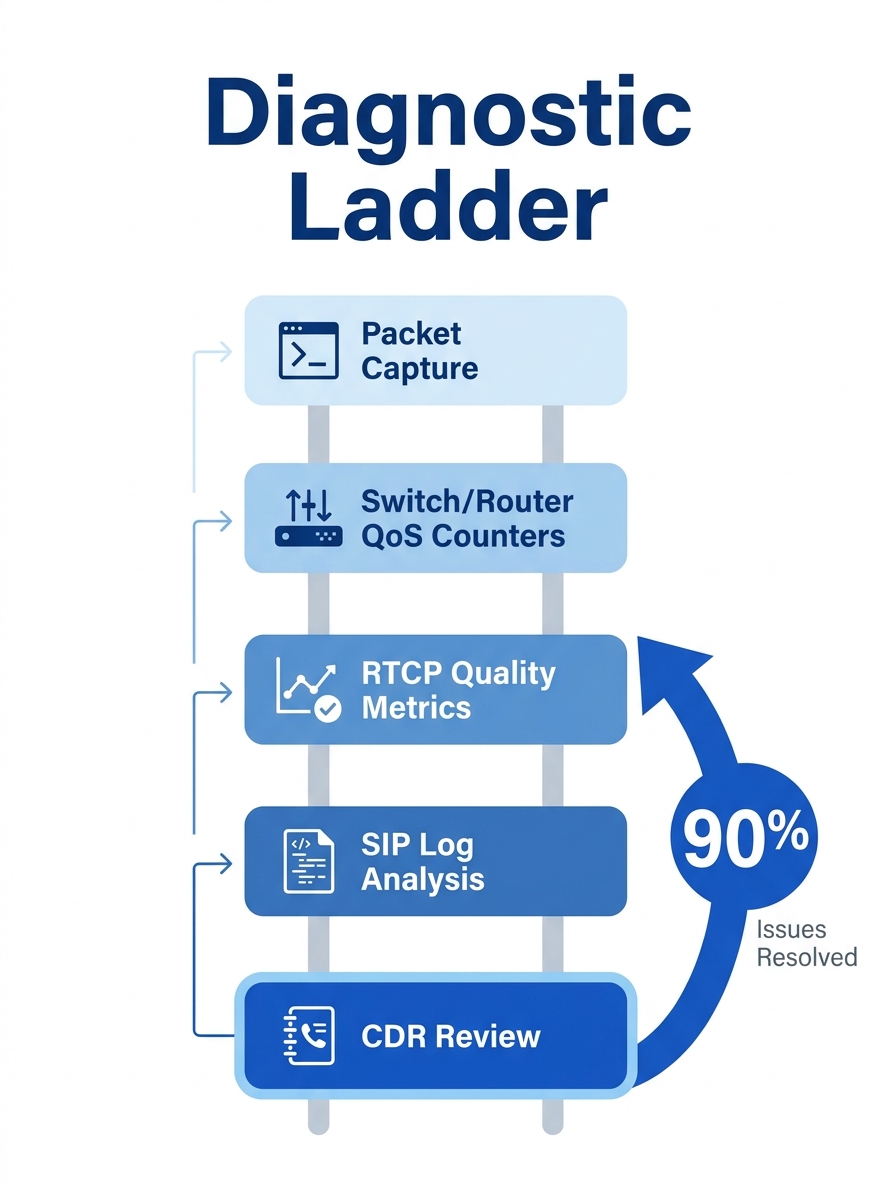
Packet captures are the wrong first step for VoIP diagnostics in nearly every Philippine enterprise scenario. The instinct to fire up Wireshark the moment a call drops or audio garbles wastes time, introduces privacy exposure, and skips over data your PBX and switches are already collecting. System logs, CDRs, and RTCP quality metrics resolve the root cause faster in roughly nine out of ten cases, and the remaining ten percent is where packet trace analysis earns its keep. The diagnostic ladder exists for a reason: you climb it rung by rung, not by vaulting to the top.
This article defends that claim with three concrete arguments drawn from how Philippine networks actually behave, from BPO floors in Makati to government offices in Davao.
System Logs Already Hold the Answer You’re Looking For
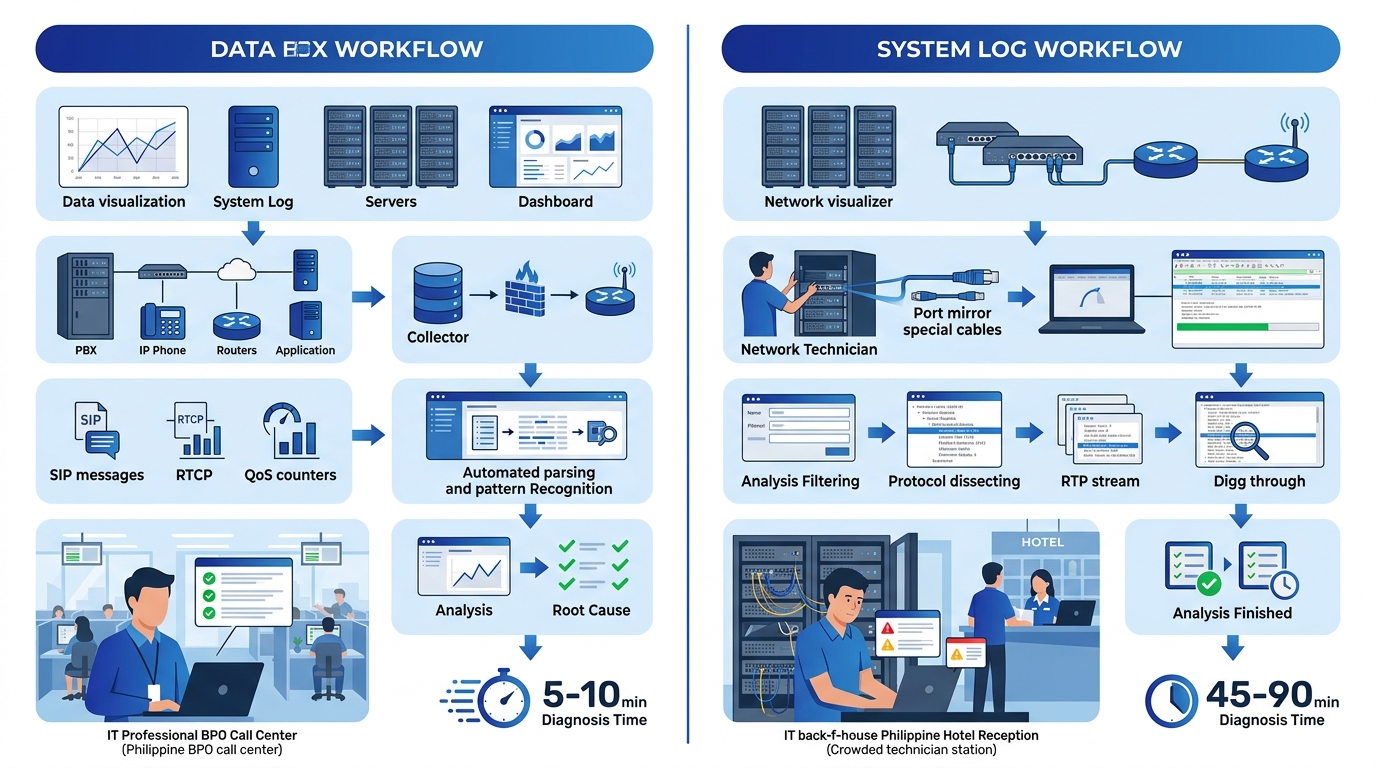
The typical call flow troubleshooting sequence at a Philippine BPO starts when an agent complains about choppy audio or one-way voice during a client call. The IT team’s reflex, especially if someone on staff has a networking background, is to mirror a switch port and start capturing packets. That reflex costs 30 to 45 minutes of setup before a single useful frame appears on screen. And because the problem is intermittent, you might capture clean traffic for hours before the issue recurs.
Compare that with what your Yeastar P-Series, Cisco UCM, or Asterisk-based PBX is already logging. SIP system logs record every INVITE, every 100 Trying, every 200 OK, every BYE, and every error response code. If a call fails during setup, the log tells you exactly which leg rejected the session and why. A 408 Request Timeout points at network reachability. A 503 Service Unavailable flags trunk capacity. A 488 Not Acceptable Here means codec mismatch. None of these require a single captured packet to diagnose.
For voice quality diagnosis specifically, RTCP (Real-time Transport Control Protocol) reports generated during active calls provide jitter, packet loss percentage, round-trip delay, and estimated MOS scores. These metrics appear in your PBX’s call detail records or a monitoring dashboard if you’ve configured one. As TeleDynamics documents in their troubleshooting guide, extreme jitter is very often a result of network congestion delaying some packets more than others, and that pattern shows clearly in RTCP data without a protocol analyzer.
If you’ve already set up QoS for voice traffic on your Philippine network, your switches and routers log DSCP marking behavior and queue statistics. A quick check of interface counters on your Fortinet firewall or Cisco Catalyst switch will show you whether voice-tagged packets are being dropped, re-marked, or queued behind bulk data. That’s your smoking gun for most call quality complaints.
Packet Captures Carry Real Costs in Philippine Operations
There’s a practical reason to keep packet traces as a last resort, and it goes beyond efficiency. Philippine enterprises operating in BPO, healthcare, and government verticals handle voice data subject to the Data Privacy Act of 2012 (Republic Act 10173). A full packet capture of an RTP stream contains the actual audio payload. If that capture file gets emailed between IT staff, saved to a shared drive, or uploaded to a cloud-based analysis tool, you’ve just created an uncontrolled copy of a conversation that may contain protected health information, financial data, or personally identifiable information.
This risk is real in organizations where IT support is distributed across multiple sites. A network engineer in Cebu captures traffic, exports a PCAP file, and sends it to a senior admin in Metro Manila via email or a messaging app. The file contains decoded voice frames from a patient consultation at a provincial hospital, or from a financial services call at a Makati BPO seat. The NPC (National Privacy Commission) considers this a processing activity under RA 10173, and your organization is accountable for securing that data.
Warning: Full RTP packet captures contain decodable audio. In verticals governed by the Data Privacy Act — healthcare, financial services, government — treat PCAP files with the same handling procedures you’d apply to call recordings. Don’t email them. Don’t store them on unencrypted drives.
System logs don’t carry this baggage. SIP message logs contain signaling metadata: headers, response codes, timestamps, and session identifiers. RTCP reports contain statistical summaries. Neither contains the actual voice stream. You can share them freely across your support team without triggering data privacy obligations tied to audio content.
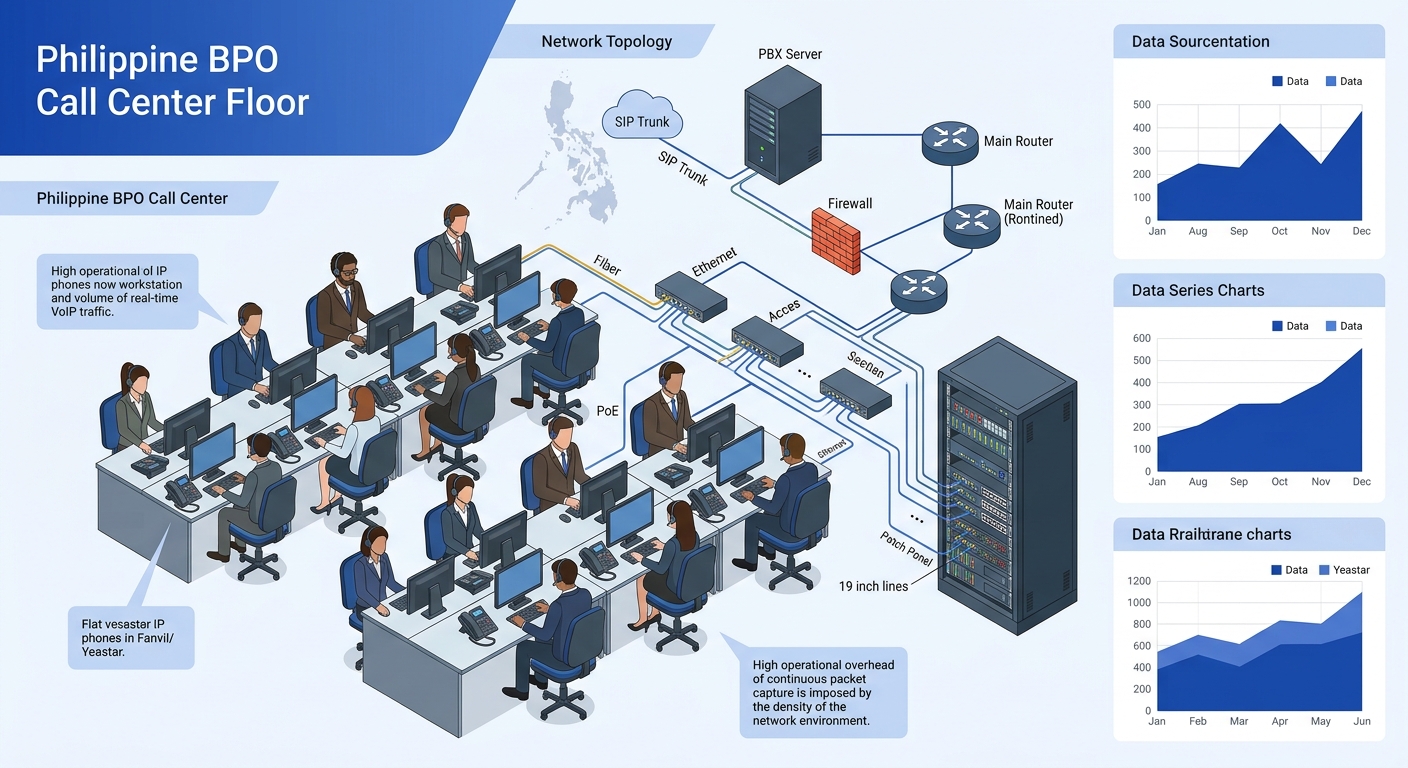
And there’s a performance angle. Running a port mirror on a Cisco Catalyst 9200 or a Dell N-Series switch consumes backplane bandwidth. On a 1 Gbps access switch serving 48 PoE ports in a dense call center floor, mirroring even a single trunk port can introduce measurable load during peak hours. The Wireshark wiki notes that H.323 call analysis requires capturing H.225, H.245, RTP, and RTCP packets together, which means your mirror session needs to catch traffic across multiple ports and potentially multiple VLANs. That’s a nontrivial configuration for a problem that logs might have already explained.
H.323 Debugging and SIP Both Expose More at the Log Level Than You’d Expect
Engineers who trained on H.323 debugging often assume packet-level inspection is mandatory because H.323’s signaling is binary-encoded (ASN.1 PER), unlike SIP’s human-readable text headers. That assumption was reasonable in 2005. It’s outdated now.
Modern PBX platforms and protocol analyzers decode H.225 and H.245 messages into readable log entries before you ever need to open Wireshark. If you’re running a Yeastar system or an Asterisk box that still terminates H.323 legs from legacy videoconferencing endpoints — and plenty of Philippine government agencies and universities do — your system’s debug log already parses the Setup, Alerting, Connect, and ReleaseComplete messages into structured text. The Wireshark wiki confirms that because H.323 isn’t a single filterable protocol, you need to filter on H.225 and H.245 separately, which adds complexity to any capture session. Your PBX log, by contrast, presents the entire call flow in chronological order without you needing to construct display filters.
The diagnostic ladder exists because each rung eliminates a category of root causes. Jumping to packet captures skips the rungs where the answer usually lives.
For SIP-based systems, which represent the overwhelming majority of new VoIP deployments across Philippine government agencies and private enterprises, the case is even stronger. A SIP debug log at verbosity level 3 or higher gives you the complete request and response exchange, including SDP (Session Description Protocol) bodies that specify codec offers, media IP addresses, and port assignments. One-way audio, for instance, almost always traces back to a NAT issue visible in the SDP Contact or Connection fields — the endpoint advertises a private RFC 1918 address that the remote side can’t reach. You see this in the log. You don’t need a packet capture to confirm it.
Where packet traces become genuinely necessary is a short list:
- TLS/SRTP inspection, where you need to verify that encryption negotiation completed correctly and SDES keys were exchanged. Logs will show that TLS was attempted, but only a capture with the server’s private key can confirm the handshake succeeded and reveal the cipher suite in use.
- RTP stream reconstruction, when you need to actually listen to what the degraded audio sounded like at a specific network segment. Wireshark can decode and play back captured RTP payloads, which is the only way to confirm whether the problem is network-induced jitter versus an endpoint hardware fault (bad handset speaker, defective Jabra headset).
- Onesided silence detection, where RTCP reports show acceptable jitter and loss but one party hears nothing. A capture at the silent endpoint’s switch port confirms whether RTP packets are arriving at all, which distinguishes a firewall blocking issue from an endpoint processing failure.
- Intermittent onesecond audio dropouts that correlate with spanning-tree topology changes or VLAN reassignments. Switch logs might show the topology event, but only a synchronized packet trace confirms that voice frames were lost during the reconvergence window. If you’re dealing with link flapping on your network, the combination of switch logs and a targeted capture at the affected port is the correct approach.
That’s the list. For everything else, the log is faster and sufficient.
The Claim, Revisited
The diagnostic ladder works because each rung eliminates a category of causes. CDRs and call logs tell you whether the call completed at all and how it terminated. SIP or H.225 signaling logs tell you where in the call setup or teardown the failure occurred. RTCP quality reports tell you whether the media path degraded and by how much. QoS counters on your switches and firewalls tell you whether the network honored your traffic prioritization. Only after all four of these sources fail to explain the problem do you have a legitimate reason to capture packets.
Philippine networks add specific wrinkles that reinforce this approach. Bandwidth on inter-island WAN links between, say, a Manila headquarters and a Davao branch connected over MPLS or an SD-WAN overlay is expensive and constrained. Running diagnostic captures across those links introduces traffic that competes with the voice traffic you’re trying to protect. The Data Privacy Act creates real liability for mishandled audio captures. And many Philippine enterprises operate with lean IT teams where the person troubleshooting VoIP is also managing the firewall, the switches, and the endpoint fleet. That person needs the fastest path to resolution, and the fastest path starts with logs.
If your network segmentation is already isolating voice traffic into dedicated VLANs with proper QoS marking, your infrastructure is generating the diagnostic data you need as a byproduct of normal operation. The RTCP reports flow. The SIP logs accumulate. The interface counters tick. Read them first. The capture button will still be there if you need it, but you’ll find that you reach for it far less often than you think.